Inviting team members
Inviting a team member
Section titled “Inviting a team member”- Open the Team dropdown in the top navigation and select Team Members
- Click Invite a New Team Member
- Enter the new member’s email address and name
- Select a role (defaults to Viewer)
- Click Create Invitation — the user receives an email invite
Changing a team member’s role
Section titled “Changing a team member’s role”- Go to Team > Team Members
- Find the team member and click Details
- Under Settings, update their role or remove them from the team
Membership settings
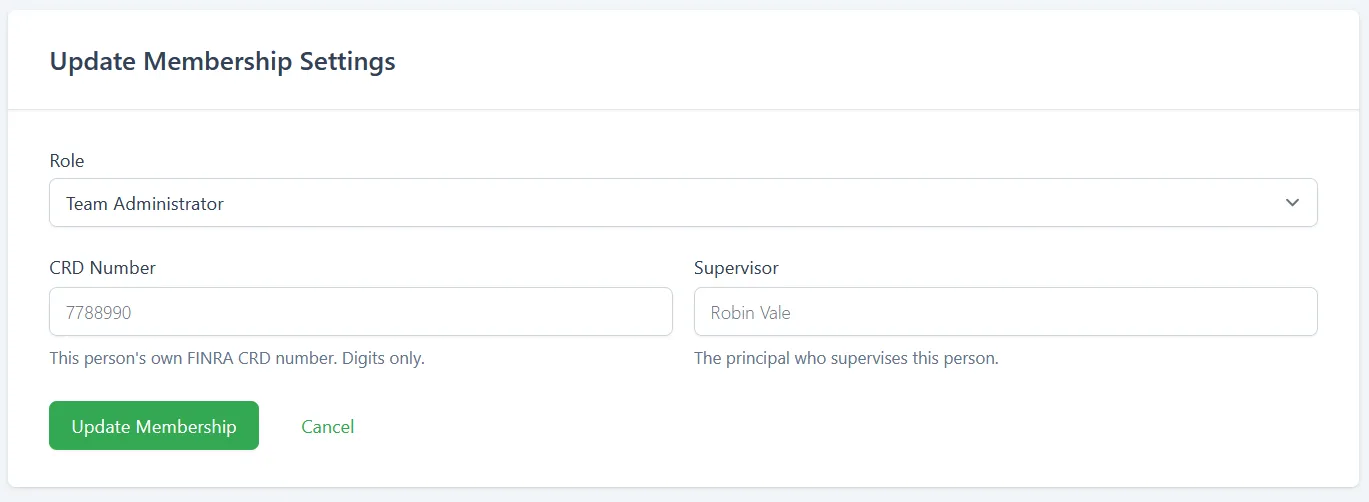
Section titled “Membership settings”Go to Team > Team Members, click Details on the person, then open Settings. The Update Membership Settings panel holds this person’s role, and for FINRA-supervised firms, their registered-representative details.
- Role - The member’s role. See Roles and permissions.
- CRD Number - This person’s own FINRA CRD number. Digits only.
- Supervisor - The principal who supervises this person.
Click Update Membership to apply your changes, or Cancel to discard them.
The CRD Number and Supervisor fields only appear once This firm is FINRA-supervised is ticked in Regulatory reporting. The firm’s own CRD and filing contact are set there, not here.